
De snelheid van jouw website meten
Maar hoe weet ik nou of mijn website snel genoeg is of niet? Die vraag moet je eerst beantwoorden voordat je gelijk aan de slag gaat/ iemand aan de slag laat gaan met de codes en afbeeldingen van je site. Met online tools zoals GTMetrix of Google PageSpeed Insights zie je gelijk welke score jouw site krijgt en welke verbeterpunten je nog toe kan passen. Hier alvast vijf tips van ons.
Tip 1: snelle hosting
Ga eerst na of de server waarop je site draait wel snel genoeg is en of de hosting dus goed is. Kies niet gelijk voor de hosting met de laagste prijs, want dat kan invloed hebben op de laadsnelheid van je site. Soms is het beter voor premium hosting te kiezen of zelfs over te stappen naar een server met meer opslag, processors en RAM-geheugen. Een goede hosting is de eerste stap op weg naar een supersnelle website.Tip 2: afbeeldingen optimaliseren
Het is voor de meeste mensen wel bekend dat grote afbeeldingen zorgen voor een langzamere website. De data van die grote afbeelding moet namelijk helemaal geladen worden. Om een beeld op een site tevoorschijn te laten komen, is er voor elke afbeelding een afzonderlijk HTTP-request nodig. Je kunt de hoeveelheid HTTP-request kleiner te maken door zogenaamde ‘sprites’ te gebruiken, waarmee meerdere kleine afbeeldingen verzameld worden in één grote afbeelding. Minder afbeeldingen = minder HTTP requests = een snellere website.Een andere oplossing is door afbeeldingen te comprimeren. Je denkt misschien: maar dan wordt de kwaliteit toch ontzettend slecht? Bepaalde tools zoals Kraken.io verkleinen de bestandsgrootte maar zorgen dat de kwaliteit goed blijft. Zorg er verder ook voor dat je bestanden opslaat in het juiste formaat zoals .jpg.Tip 3: comprimeer je code
Bij het opzetten van een website heb je constant te maken met codes, bijvoorbeeld met HTML en CSS bestanden. Deze zijn nodig voor je site maar je kunt ze wel verkleinen. Bij een HTML code bijvoorbeeld is het een optie de overbodige spaties en omschrijvingen weg te halen.Ook het gebruik van teveel plug-ins kan je WordPress website trager maken. Ga na welke plug-ins je echt nodig vindt en welk niet want daardoor wordt er overbodige code ingeladen. Zonde dus van de snelheid van je site.Tip 4: gebruik plug-ins voor snelheidsoptimalisatie
Zoals we hierboven al uitlegden moet je niet overdrijven met plug-ins, maar een aantal kunnen de snelheid van jouw website verhogen. We hebben er een paar voor je op een rijtje gezet:
Shortpixel (een plug-in om afbeeldingen comprimeren)
WP Rocket (deze betaalde plug-in zit standaard bij al onze projecten die we leveren) of WP super cache (deze plug-in is gratis te gebruiken)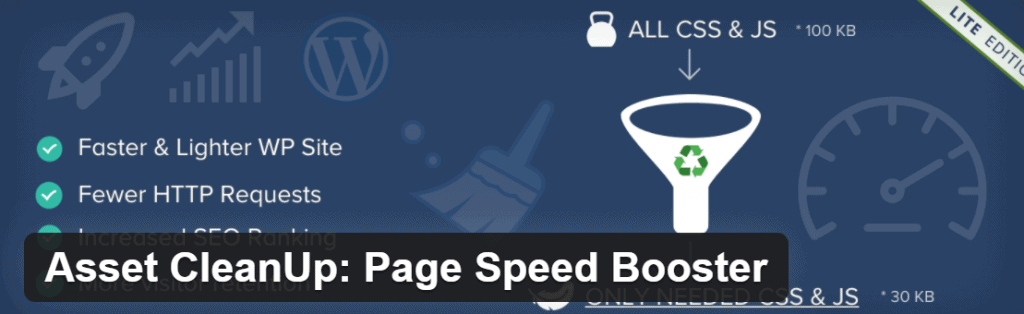
Asset Cleanup Manager (een geavanceerde plug-in, bedoeld voor het verminderen van requests)
Tip 5: caching aanzetten
Heel simpel gezegd zorgt caching ervoor dat de data van je site bewaard worden waardoor deze sneller geladen kan worden. Door caching toe te passen verlaagt de bandbreedte, de gegevens die de website overdraagt, wat leidt tot een snellere site. De browser van de bezoeker slaat de bestanden van jouw site op, zoals HTML of de afbeeldingen. Zo hoeft niet alles helemaal opnieuw te worden geladen en komt je site sneller tevoorschijn.Jouw website ook supersnel maken?
Denk je na het lezen van deze blog: help, ik heb geen idee hoe ik dit moet doen. Geen zorgen! Neem snel contact met ons op. Wij gaan graag voor je aan de slag om jouw website supersnel te maken.Volg ons op sociale media om op de hoogte te blijven van meer blogs en nieuwtjes!- Facebook: https://www.facebook.com/jkcmedia.nl
- LinkedIn: https://www.linkedin.com/company/jkc-media
- Instagram: https://www.instagram.com/jkc_media/